Audit-ready reporting: get data quality right
 Edgar de Wit
Accurate reporting is, needless to say, the backbone of effective finance. However,
almost everywhere we go, we still see organisations struggle with last-minute
corrections, inconsistent data, and time-consuming reconciliations, especially when
preparing for audits. The key to reliable, audit-ready reporting starts with data
quality from day one.
XLReporting helps finance teams ensure their data is consistent, transparent and
trustworthy, so reports are accurate and audits run smoothly.
Why data quality matters
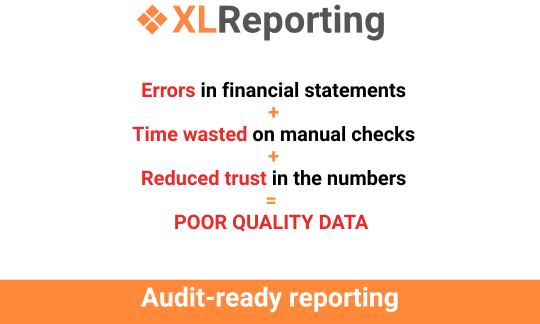
Poor-quality data leads to:
- Errors in financial statements that require costly corrections
- Time wasted on manual checks and reconciliations
- Reduced trust in the numbers by management, auditors, and stakeholders
High-quality data, on the other hand, ensures reports are reliable, decisions are
informed, and audits are stress-free.
How to achieve audit-ready reporting
- Standardise and clean your data
XLReporting enables you to clean, translate, and categorise data automatically.
Inconsistent naming conventions, duplicate entries, and mismatched accounts are
identified and corrected before they cause problems.
- Map accounts and structures consistently
Different systems, different charts of accounts? No problem. With XLReporting,
you can map accounts across systems to a consistent reporting structure,
ensuring your consolidated financials are, well, right.
- Track changes and maintain transparency
In the XLReporting tool, every number has a passport. When someone imports data,
tweaks an assumption, or runs a calculation, the action is logged automatically.
Managers can open Manage ▸ Profile ▸ Review this tenant to scan recent
activity and see who did what, when. Model builders mark milestones with Actions
▸ Mark this version, while reports highlight edited rows using CHANGED()
and reveal differences between versions with COMPARE(). In
consolidations, clear journal descriptions provide context so reviewers
understand each entry. Auditors love the trace: they can retrace the full
journey from source to statement. Prepare for: fewer questions, faster reviews,
and confidence that every figure is transparent and accountable.
- Automate repetitive tasks
Manual data preparation is always a common source of errors. Automating imports,
reconciliations, and standard calculations frees your team to focus on analysis,
interpretation, and insights. In XLReporting, routine work runs itself. A
controller defines Imports and groups them into batches, so multiple data feeds
load with one click or automatically when a model is saved. Rich functions
handle time logic, currency rules, and mappings without manual edits. For larger
pipelines, server imports move data directly on the platform, keeping
performance steady. You can stop copying, fixing, and reconciling by hand;
review exceptions, approve results, and move on. The process becomes faster,
consistent, and quietly reliable, automation doing the heavy lifting in the
background.
- Use AI-assisted checks and analyses
XLReporting's AI functions help spot anomalies, trends, and deviations
automatically. It can also generate summaries and variance analyses, providing
auditors with clear, understandable explanations of the numbers. A controller
runs a monthly performance report in XLReporting. With one click on the AI
assistant, the system scans the results and drafts a clear narrative: key
variances, trends, and possible drivers. Ready for review or sharing with
stakeholders.
Benefits of building audit-ready reporting from day one
- Reduced stress during audits (fewer surprises, more confidence)
- Faster reporting cycles (less time spent cleaning and reconciling)
- Better insights for management (decisions based on reliable data)
- Compliance and transparency (every number traceable and verifiable)
By embedding quality checks into daily processes, your financial reporting becomes a
tool for trust, insight, and informed decision-making.
XLReporting: your partner for reliable finance
Standardise, automate, and analyse your data in a single, integrated platform with
XLReporting.
From cleaning and mapping to AI-assisted analysis, it ensures your reports are
accurate, transparent, and audit-ready, from day one.
Ready to see how XLReporting can simplify your reporting and make your data
audit-proof? Book a demo
today.
Back to the list 


