 Edgar de Wit
Month-end close usually takes a lot of time because the process itself is built on repetitive, manual steps that compound as organisations grow. This is especially true for accounting firms managing multiple clients or healthcare organisations operating across entities, locations, and cost centres. The good news is that faster closing only requires removing the manual work that was never meant to scale. We want to explain to you how to achieve that using month-end close automation.
Most accounting systems are designed to produce financial statements per legal entity. That works well for statutory reporting, but controllers and finance teams typically need something different: management structures, consolidated views, and consistent KPIs across entities. Bridging that gap usually happens outside the accounting system. And that is where the time goes.
A typical close still involves:
Individually, these tasks seem manageable. Together, they create a workflow that is slow, error-prone, and difficult to control. The more entities involved, the more Excel files appear, and the harder it becomes to keep track of versions, adjustments, and dependencies. The result is a lengthy process that spans many days because the workflow is too fragmented. We discussed this issue in more detail in our blog Excel Chaos edition.
Excel is still one of the most powerful tools in finance. The problem arises when Excel becomes the backbone of the month-end close. Controllers often spend more time managing files than analysing results. As reporting complexity increases, the process becomes harder to maintain and even harder to accelerate.
When data lives in dozens of files:
Month-end close automation addresses this problem at its root: the workflow. Instead of treating each close as a new cycle of exports, copies, and reconciliations, automation creates a structured process where data flows consistently from source systems into a central reporting environment. The objective here is reliability and repeatability. Speed is the result.
Direct integrations with accounting systems such as Exact Online, Xero, QuickBooks Online, or Twinfield remove the need for manual exports. Trial balances are imported automatically into a central dataset, eliminating download steps and copy-paste work.
Read-only API connections ensure data integrity while removing the need for repeated logins or manual retrieval. Finance teams maintain control over when data is imported, without the operational friction.
Charts of accounts and entity structures are imported once and mapped to a consistent reporting hierarchy. This mapping is reused every period, dramatically reducing reconciliation work and eliminating recurring mapping errors.
With data centralised, there is no need to copy, rename, or rebuild spreadsheets. Reports reference one consistent dataset instead of multiple versions scattered across folders.
When corrections are posted or a period is ready to be finalised, controllers can trigger a re-import without rebuilding reports. The workflow remains intact, even when the data changes.
Once data is updated, reports and consolidations refresh automatically. Because the underlying structures are consistent, consolidation becomes faster and more reliable, even in multi-entity environments.
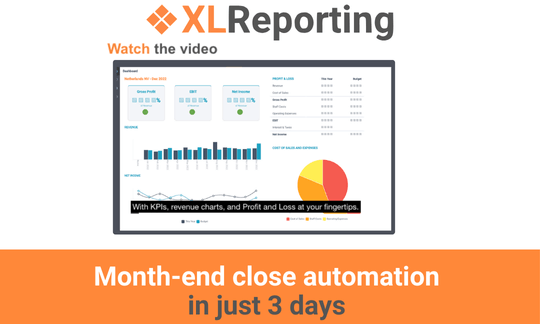
Closing in just a few days is possible if you remove the steps that add no analytical value. When exports, mappings, and reconciliations are automated, finance teams spend less time preparing data and more time reviewing it. That shift is what shortens the close. Templates and standardised workflows also contribute to faster, predictable closes across entities.
Month-end close automation does not replace professional judgment. It removes the friction that stands between finance teams and the insights they are responsible for delivering. With a clean workflow and consistent data, a faster, more reliable close becomes achievable under practical conditions. Not because the work is rushed, but because unnecessary manual steps are no longer part of the process.
Curious how this looks in practice? Start the Demo Tour and explore how workflow automation supports faster, more reliable month-end closes.
Back to the listSchedule a Meeting with one of our Planning and Reporting Experts.
Let's TalkXLReporting is an online Planning and Reporting Platform to create reports, budgets and forecasts the way you want.


© 2009-2026 XLReporting
® All rights reserved
