 Edgar de Wit
It's Q1. Dashboards and KPI reports are reviewed, discussed, and often archived. A few stakeholders remember decisions. In sectors like Healthcare, Education, and Nonprofit, this creates friction: budgets are fixed, staffing decisions have long-term impact, and funding conditions require cross-department alignment. How do you make Q1 a review moment rather than an optimisation checkpoint? We have some thoughts!
Q1 provides enough data to validate assumptions made during budgeting and planning. Variances, volume changes, and early efficiency signals appear while there's still time to adjust course. To turn such signals into actionable improvements, you definitely need structure in both reporting and workflow.
Actionable insight starts with clarity. Q1 performance should be visible within the regular reporting flow rather than as a separate snapshot. Using QTD and YTD logic in reports and KPIs allows you to spot trends early.
Check your Q1 performance in a wink with options like filters and period, while keeping the broader context in view. You can then use this in informed discussions with colleagues, without having to constantly rebuild reports or rely on static presentations.
Insights gain value when we conclude that they affect future outcomes. If you update Revenue and P&L planners based on Q1 results, it will connect the analysis directly to forward-looking decisions. Changes in volumes, staffing assumptions, or cost levels are entered once and automatically flow through to cash flow and EBITDA, giving immediate visibility into financial impact and supporting realistic decision-making across departments.
Once Q1 adjustments are reflected in planners, a consolidated forecast report creates a shared reference point. Forecasts or management booklets combine Notes, P&L, and KPIs into one coherent view, supporting decision-making at both entity and consolidated levels. Your forecast becomes this living document that reflects historical performance alongside agreed improvements.
Decisions taken during Q1 reviews should be captured directly in models. Comments provide context and rationale, and approved rows or cells can be locked to prevent rework. Automated save actions and notifications keep updates visible and traceable. Optional integrations with external tools like Zapier or n8n keep ownership clear without fragmenting the workflow.
Role-based permissions guide who can enter data, who reviews, and when write-back is allowed. Interactive run models support controlled input and approval cycles and reduce ad hoc adjustments that can sometimes undermine consistency.
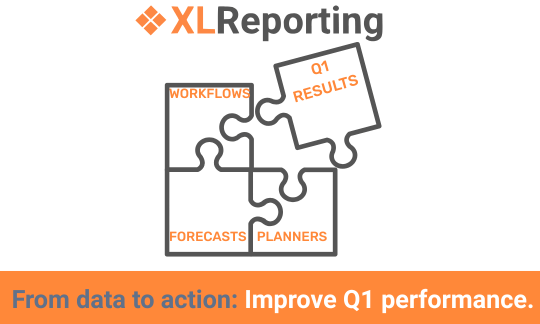
Q1 insights deliver real value when they remain connected to actions and forecasts throughout the year. When reporting, planning, and follow-up sit in one workflow, early-year analysis directly influences performance in subsequent quarters. For organisations already working with KPI dashboards, this continuity turns insight into sustained improvement.
Explore how this approach works in practice by requesting the Demo Tour.
Back to the listSchedule a Meeting with one of our Planning and Reporting Experts.
Let's TalkXLReporting is an online Planning and Reporting Platform to create reports, budgets and forecasts the way you want.


© 2009-2026 XLReporting
® All rights reserved
