 Edgar de Wit
You may be well aware of QuickBooks Online, Xero, and Twinfield. These accounting systems are widely used across nonprofits, accounting firms, and restaurant groups. They reliably support day-to-day bookkeeping at the entity level. As organisations grow or operate multiple entities, however, a different challenge emerges: gaining consistent management insight across companies.
Even when multiple administrations are available under one login, each entity still operates within its own financial model. Charts of accounts, cost centres, projects, and reporting structures exist separately. Gaining insight across entities often means switching between environments or exporting data into external tools.
Management reporting rarely stands still. KPIs are refined, report layouts evolve, and new analytical questions arise. In single-entity environments, these changes are applied within one administration.
In multi-entity setups, work is often repeated. A report adjusted in one administration must be recreated elsewhere. New mapping decisions need to be remembered and applied consistently. Over time, small differences accumulate, making group-level reporting increasingly difficult to trust.
This pattern is common across sectors. Nonprofits manage multiple funds or legal entities, accounting firms oversee dozens of client administrations, and restaurant groups operate many locations with similar structures. In all cases, cross-entity insight depends heavily on manual coordination.
Restaurant groups often illustrate this challenge clearly. Take Massarella Restaurants as an example. They operate dozens of restaurant units across multiple administrations using tracking categories. Unit-level reporting worked well, but group-level insight required exporting reports to Excel.
Structural changes, such as updates to the chart of accounts or reporting layouts, increased the effort needed to keep reports aligned across locations. This experience is familiar to many multi-unit organisations: insight exists, but only after additional processing outside the accounting system.
A unified reporting model introduces a shared structure across entities and systems. Instead of maintaining separate management reports per administration, organisations define a standard chart of accounts and reporting hierarchy once.
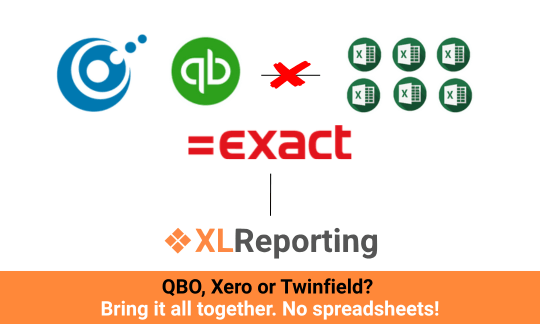
During data import, local accounts from QuickBooks Online, Xero, or Twinfield are mapped to this shared structure. This creates a single control point for management reporting. One set of reports can then be reused across all entities, regardless of the underlying accounting system.
Changes to KPIs or report layouts are made centrally and apply consistently across the organisation. The focus shifts from maintaining files to maintaining a model.
Account mapping is rarely identical across organisations. Differences in terminology, account depth, and reporting guidelines are normal. Efficiently managing this complexity requires both experience and the right tooling.
AI Assist for mapping supports this process by analysing account names, descriptions, and structural patterns. A common approach uses reporting categories from the source chart of accounts and maps them to an internal account type model. Hundreds of accounts can be mapped simultaneously with high accuracy.
Human review remains part of the workflow, ensuring control and transparency. AI acts as an accelerator, reducing manual effort while keeping mapping decisions visible and adjustable.
Whether organisations work exclusively with QuickBooks Online, Xero, or Twinfield, or with a combination of these systems, a unified reporting model enables consistent management reporting without rebuilding reports per entity.
Data remains connected to its source, while insight is organised centrally. This approach addresses duplication at its root and creates a scalable foundation for reporting across entities and sectors.
Curious how a unified reporting model works in practice? Explore the XLReporting demo and see how shared structures simplify management reporting across systems.
Back to the listSchedule a Meeting with one of our Planning and Reporting Experts.
Let's TalkXLReporting is an online Planning and Reporting Platform to create reports, budgets and forecasts the way you want.


© 2009-2026 XLReporting
® All rights reserved
